Understanding scale factor in real world examples helps people make sense of how sizes change in practical situations. Whether you're looking at a map, building a model, or adjusting a recipe, knowing how to interpret scale factor can prevent mistakes and improve accuracy.
Scale factor is the number you multiply by to increase or decrease the size of an object. It’s used when creating smaller or larger versions of something while keeping the same proportions. For instance, if a model car is built at a scale of 1:24, every part of the model is 1/24th the size of the actual car.
How do I recognize scale factor in everyday situations?
Scale factor appears in many places without people realizing it. Think about blueprints for construction, where a house plan might use a scale of 1:50. That means each measurement on the blueprint is 1/50th the size of the real structure. Similarly, maps often show scale factors to represent large areas on a small piece of paper.
Another common example is cooking. If a recipe serves four people but you need to adjust it for eight, you’re effectively using a scale factor of 2. Each ingredient amount doubles. This same idea applies when resizing images or adjusting measurements in design projects.
What are common mistakes when interpreting scale factor?
One mistake is mixing up the direction of the scale. A scale of 1:10 means the model is smaller than the original, but some people might think it means the model is larger. Always double-check which way the scale is applied.
Another error happens when people forget to apply the scale factor to all dimensions. If a rectangle is scaled by a factor of 3, both the length and width must be multiplied by 3 not just one side. Failing to do this can lead to distorted shapes or incorrect measurements.
Useful tips for working with scale factor
Start by identifying the original and scaled measurements. Write them down and divide the scaled value by the original to find the scale factor. This simple calculation works for most cases.
When working with diagrams, look for labels that indicate the scale. Sometimes, a scale bar is included to help visualize the relationship between the drawing and the real object. If no scale is given, measure two corresponding parts and calculate the ratio.
Practice with different examples. Using a worksheet can help reinforce how scale factor works in various contexts.
How do I calculate scale factor step by step?
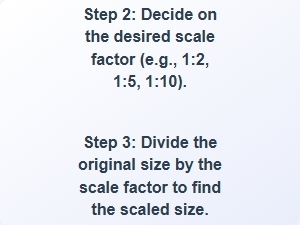
To calculate scale factor, compare a known measurement from the original object to the same measurement on the scaled version. For example, if a tree is 10 feet tall and its drawing is 2 inches, divide 2 by 10 to get a scale factor of 0.2. This means the drawing is 0.2 times the size of the real tree.
If you’re working with a diagram, measure the distance between two points on the drawing and then measure the same points on the actual object. Divide the drawing measurement by the real measurement to find the scale factor. This method is useful for maps, blueprints, and models.
For more detailed steps, check out how to calculate scale factor to see examples and practice problems.
How do I determine scale factor from diagrams and measurements?
Diagrams often include a scale key or legend that shows the relationship between the drawing and the real object. If there’s no scale provided, measure two matching parts of the diagram and the actual object. Then divide the diagram measurement by the real measurement to find the scale factor.
Some diagrams use symbols or units to indicate scale. For example, a map might say “1 inch equals 1 mile.” In that case, the scale factor is 1:63360 (since 1 mile is 63360 inches). Understanding these relationships helps in accurately interpreting the diagram.
For more guidance on this process, visit determining scale factor from diagrams and measurements to learn how to apply this in real scenarios.
Take a moment to review any diagrams or measurements you work with. Ask yourself what the scale factor might be and test your understanding by calculating it. This habit builds confidence and reduces errors in real-world applications.
 Scale Factor Worksheet for Geometry Students
 How to Calculate Scale Factor Step by Step
 Understanding Scale Factor in Math Problems
 Determining Scale Factor From Diagrams and Measurements
 Scale Factor Examples for Students
 Scale Factor Worksheet Problems in Geometry